
Smart Campus Trackers & Student Privacy: EdTech Trends
Higher education institutions increasingly deploy location tracking, biometric attendance, and Wi-Fi monitoring. Discover how smart campus tracking systems operate, what data they collect from students, and how to protect your digital privacy rights on campus.
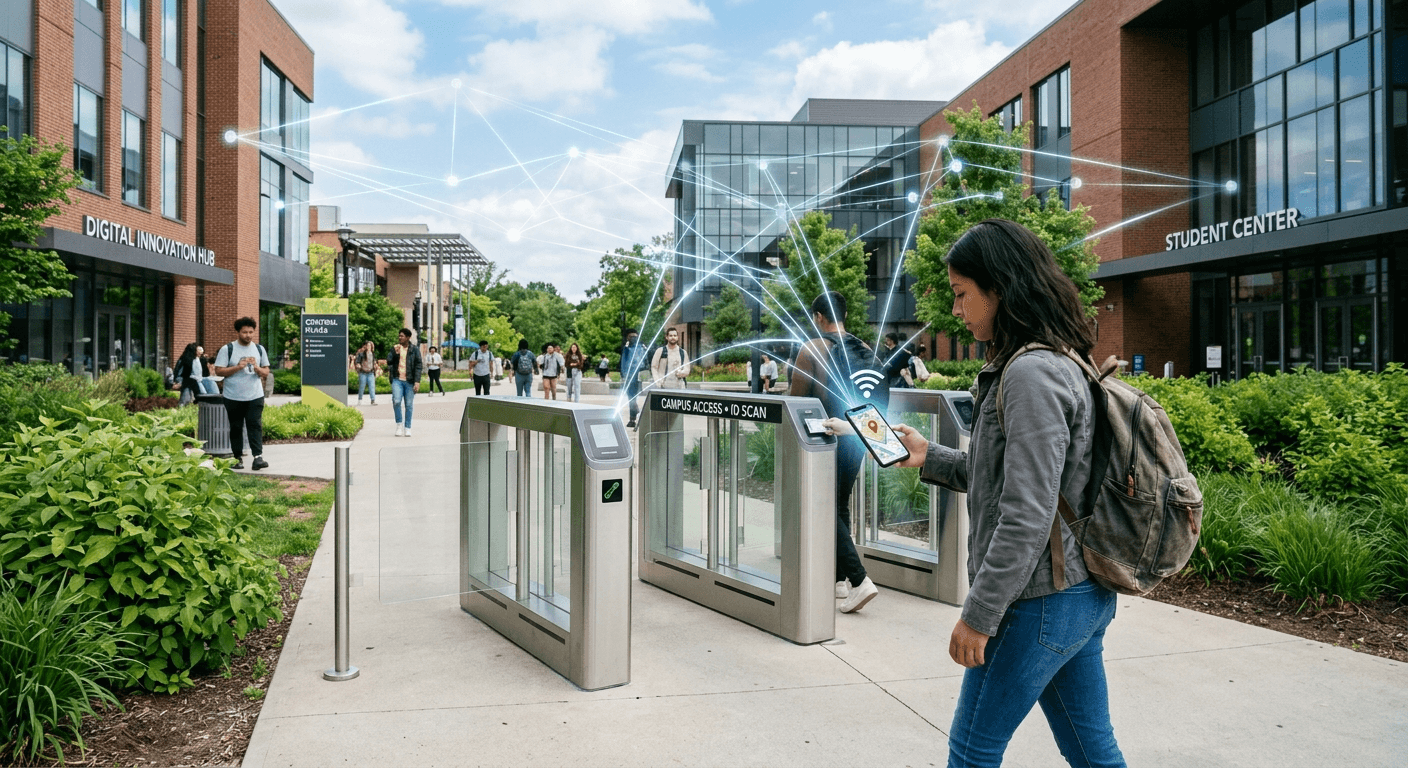
Managing Smart Campus Trackers: What Digital Privacy Means for Students
Smart Campus Trackers & Student Digital Privacy: Balancing Innovation and Security
Higher education institutions across the globe are rapidly transitioning into "smart campuses." By integrating Bluetooth low-energy (BLE) beacons, automated Wi-Fi location tracking, smart ID card readers, and biometric access points, universities aim to enhance campus safety, automate attendance monitoring, and optimize facility usage. However, these technological advancements come with significant trade-offs regarding personal freedom and digital surveillance.
As colleges collect millions of location and activity data points daily, students frequently ask where institutional utility ends and unwarranted intrusion begins. Understanding how smart campus tracking technology functions, knowing your legal privacy rights, and adopting proactive data protection strategies are essential steps for every modern college student.
What Are Smart Campus Trackers?
Smart campus tracking refers to the network of interconnected hardware and software systems used by educational institutions to monitor movement, resource usage, and physical presence across university grounds. While historically used for simple security operations, modern tracking systems rely on continuous, automated data collection through various integrated access points.
Common Tracking Technologies in Higher Education
Wi-Fi Triangulation: University IT networks track mobile devices by measuring signal strength across multiple access points, generating real-time physical coordinates whenever Wi-Fi is enabled.
Bluetooth Low Energy (BLE) Beacons: Small transmitters installed in lecture halls, dining facilities, and libraries interact with university mobile apps to record exact entry and exit times.
Smart Student IDs & RFID: Radio-frequency identification chips embedded in campus badges track door access, dining hall redemptions, and library resource checkouts.
Biometric Authentication: Facial recognition and fingerprint scanners increasingly replace traditional keys in residence halls and specialized laboratories.
Learning Management System (LMS) Analytics: Software platforms like Canvas or Blackboard track login times, IP addresses, engagement duration, and clicks to measure academic behavior.
The Benefits vs. Digital Privacy Risks
University administrators implement automated tracking systems to solve complex operational challenges. However, the continuous collection of sensitive personal data inherently creates privacy risks.
Feature Area | Stated Institutional Benefit | Potential Digital Privacy Risk |
Attendance Tracking | Eliminates manual roll calls; identifies disengaged students early | Continuous real-time tracking during class hours; invasive logging |
Campus Security | Restricts unauthorized building access; assists in emergencies | Unchecked surveillance; potential misuse of physical location logs |
Resource Optimization | Monitors library and gym capacity to plan staffing and upgrades | Aggregation of daily personal habits and sensitive lifestyle patterns |
Automated Services | Enables touchless dining, automated dorm access, and quick checkouts | Exposure of sensitive personal profiles if central databases are breached |
Key Data Privacy Risks for College Students
1. Ubiquitous Location Monitoring
When universities link physical device addresses (MAC addresses) to student identity numbers, location tracking ceases to be anonymous. System logs can map an individual’s complete daily routine, revealing details about personal associations, political or religious meetings, and medical visits made on campus grounds.
2. Data Retention and Scope Creep
A primary concern surrounding campus surveillance is "scope creep"—the practice of using data collected for one purpose (such as security) for secondary purposes (such as disciplinary proceedings or mandatory counseling enforcement). Furthermore, unclear data retention policies mean your location history could remain on university servers long after graduation.
3. Third-Party Vendor Access
Many smart campus technologies rely on third-party software vendors. When university contracts lack strict privacy guarantees, student behavioral data may be stored on external cloud servers, utilized to train proprietary machine learning models, or commercialized for targeted marketing.
4. Cybersecurity Vulnerabilities
Centralized repositories of sensitive student location data present high-value targets for malicious actors. A single database breach can expose physical movement histories, biometric signatures, and personal identification details, raising identity theft and personal safety concerns.
Understanding Your Digital Privacy Rights
Student data protection is governed by specific legal frameworks depending on your jurisdiction and institutional type.
Legal Protections in the United States (FERPA)
In the United States, the Family Educational Rights and Privacy Act (FERPA) protects the privacy of student education records. While FERPA strictly controls transcripts and disciplinary files, it contains ambiguity regarding real-time location telemetry and Wi-Fi access logs.
Directory Information: Universities may disclose basic information unless students explicitly submit a formal opt-out request.
Law Enforcement Records: Physical security logs generated strictly by campus police forces are generally exempt from standard FERPA disclosure rules.
Protections under GDPR and State Regulations
In the European Union, the General Data Protection Regulation (GDPR) enforces strict requirements on university data handling:
Lawful Basis & Consent: Institutions must establish a clear legal basis or obtain explicit consent before gathering location metrics.
Data Minimization: Universities may only collect the minimal amount of data necessary to perform specific administrative tasks.
Right to Erasure: Students retain the right to request deletion of non-essential location histories.
Similarly, evolving state-level legislation—such as the California Consumer Privacy Act (CCPA)—is expanding digital rights for students attending institutions subject to state privacy frameworks.
Actionable Steps to Protect Your Privacy on Campus
Students can take immediate, practical technical and administrative steps to control their personal data footprint while remaining fully connected to academic resources.
Disable Wi-Fi and Bluetooth: Turn off automatic network scanning and Bluetooth pings when moving between lecture halls.
Audit Mobile App Permissions: Restrict campus apps from accessing location data continuously in the background.
Enable Randomized MAC Addresses: Configure mobile devices to obscure their permanent hardware identifier on Wi-Fi networks.
Submit Directory Opt-Out Forms: Request formal FERPA privacy restrictions through the Registrar’s office.
Utilize Virtual Private Networks (VPNs): Encrypt internet traffic on shared campus infrastructure to protect web activity.
1. Manage Device Connectivity Settings
Turn off automatic Wi-Fi joining settings so your device does not continuously ping local access points as you walk across campus. Keep Bluetooth disabled when not using peripheral devices to block location tracking by campus BLE beacons.
2. Enable MAC Address Randomization
Modern Android and iOS operating systems support randomized MAC addresses. Ensure this feature is enabled under your device's Wi-Fi network settings. Randomization prevents network equipment from consistently pairing your device's physical hardware address with your identity when browsing as an unauthenticated user.
3. Audit Mobile Application Permissions
Review the permissions granted to mandatory campus applications (such as student portal, dining, or attendance apps):
Revoke "Always Allow" location privileges, changing them to "While Using the App" or "Never."
Disable unnecessary permissions like microphone, camera, and contact access unless required for academic functions.
4. Secure Your Network Traffic with a VPN
Using a reputable Virtual Private Network (VPN) encrypts your internet traffic on public or dormitory Wi-Fi networks. While a VPN does not hide which access point your phone physically connects to, it prevents network administrators from analyzing your DNS requests, web browsing activity, and application traffic.
5. Exercise Formal Opt-Out Rights
Visit your campus Registrar or IT Services office to inquire about data privacy choices:
Request a FERPA Non-Disclosure Form to restrict the sharing of directory information.
Request clarity regarding mandatory vs. voluntary location services on university-issued software.
Student Advocacy and Institutional Transparency
Protecting digital privacy across educational environments requires collective advocacy alongside individual technical safeguards. Student organizations play a central role in shaping institutional technology policies.
Questions to Ask University Administrators
What specific location data points are logged, and how long are they retained?
Are campus location tracking logs ever shared with third-party vendors or advertisers?
What is the formal process for requesting the complete deletion of personal location histories?
Is opt-in consent required before mandatory installation of tracking-enabled campus apps?
By advocating for clear data privacy guidelines, student governance bodies can encourage universities to adopt Privacy by Design principles—ensuring that safety and administrative efficiency do not compromise basic digital rights.
Frequently Asked Questions (FAQs)
Can universities track your location through campus Wi-Fi?
Yes. When your device connects to or searches for campus Wi-Fi, access points log its unique media access control (MAC) address and signal strength. By correlating data across multiple routers, university systems can determine your physical location on campus grounds whenever Wi-Fi is active.
Do mandatory attendance apps track students outside of class?
It depends on the application's configuration and your device permissions. While most attendance apps are designed to verify presence only during scheduled lecture times, apps granted "Always On" location permissions can technically collect spatial data continuously. Always check and restrict location permissions in your phone settings.
Does FERPA protect student location data?
FERPA protects official education records, but its application to real-time location telemetry and network connection logs remains legally complex. While detailed location records tied directly to disciplinary files are protected, general IT access logs are not always classified as protected education records under standard administrative guidelines.
How can I stop my phone from being tracked on campus?
To minimize tracking, disable Wi-Fi and Bluetooth when moving across campus, enable MAC address randomization in your phone settings, revoke unnecessary location permissions for campus mobile applications, and use an encrypted VPN when connecting to university internet networks.
Can I opt out of smart campus tracking systems completely?
Complete opt-out capabilities depend on institutional policies. While you can opt out of directory disclosures under FERPA and decline non-essential app usage, accessing mandatory digital infrastructure—such as residential door entry systems, campus network access, and official online portals—typically requires accepting standard network logging policies.
Navigating Campus Technology with Digital Literacy
Smart campus technology offers undeniable advantages in safety, efficiency, and resource allocation. However, these benefits must be balanced against the preservation of student privacy rights. By understanding how location tracking works, auditing your personal devices, and requesting transparency from university leadership, you can successfully navigate higher education in the digital age without sacrificing your personal privacy.
Take control of your digital footprint today by reviewing your smartphone's application permissions and turning off auto-connect settings on campus networks.
Would you like me to help you draft a formal FERPA data privacy request letter to your university's registrar or create a customized privacy checklist for your smartphone settings?
Frequently asked questions
How do smart campus tracking systems monitor students?
Smart campuses track students through Wi-Fi access points, Bluetooth Low Energy (BLE) beacons, RFID-enabled student IDs, and mobile app interactions. Whenever a phone connects to campus Wi-Fi or passes near a beacon, signal logs record the device's unique media access control (MAC) address to determine physical location.
Do universities track student activity outside class hours?
If a smartphone remains connected to campus Wi-Fi or has active background location permissions enabled for institutional apps, signal tracking can continue 24/7 across campus grounds. Restricting application permissions to "Only While Using" prevents continuous background telemetry collection.
Does FERPA protect location data gathered by universities?
FERPA covers formal education records like grades and transcripts, but standard IT connection logs and real-time location telemetry often fall into regulatory grey areas. Unless location records are directly tied to an official disciplinary or academic file, they may not receive automatic FERPA privacy protections.
How can students stop their devices from being tracked on campus?
To minimize tracking, disable Wi-Fi and Bluetooth when moving between buildings, turn on MAC address randomization in device settings, use a Virtual Private Network (VPN) for encrypted browsing, and audit mobile app permissions to restrict location sharing.
Can students opt out of automated campus location tracking?
Students can generally opt out of directory information sharing and revoke non-essential mobile app permissions. However, complete opt-outs are difficult because connecting to mandatory online portals, building access gates, and campus network infrastructure requires standard IT event logging.